
 Moodle Tip of the Week
Using Ally to Improve Accessibility
? Question: How can I work to ensure that my course materials are accessible for students who need resources in alternative formats?
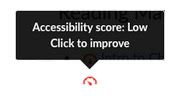
√ Answer: Moodle has a tool embedded within it called Ally. Ally works seamlessly with Moodle to gauge the accessibility of your content. It provides guidance and tips for lasting improvements to your content accessibility. In addition to providing you with insight to your content accessibility, Ally automatically creates alternative versions of your files. This allows students to choose the type of file they want that best suits their needs.
For more information on Ally and how it works in your courses, use this Faculty Tutorial.
Questions? Submit a help desk ticket here.