
 Moodle Tip of the Week
? Question: How do students see grades and feedback in Moodle?
√ Answer: There are a couple of ways students can view their grades and your feedback on their course work.
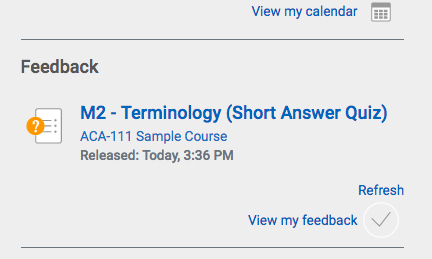
1) In the MyCourses area, they will see recent feedback under the Feedback section on the right side of the page (image below). They can just click on the name of the assignment to go right to it from there to view their grade and feedback.
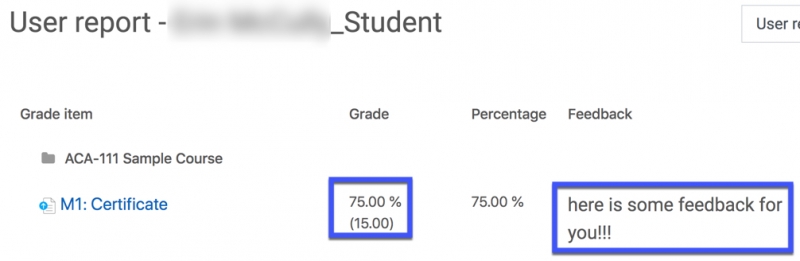
2) In their course, they can click on Course Dashboard and go to the Gradebook to see their grades. Additionally, overall Feedback will show up to them there as well, if you provided any.
For more information, you can direct students to these Student Moodle Tutorials for tutorials and videos!
Questions? Submit a help desk ticket here.