 Moodle Tip of the Week
June 16, 2020
"Blind Marking": Hide Students' Names While Grading
"Blind Marking": Hide Students' Names While Grading
? Question: How can I grade submissions without seeing students' names?
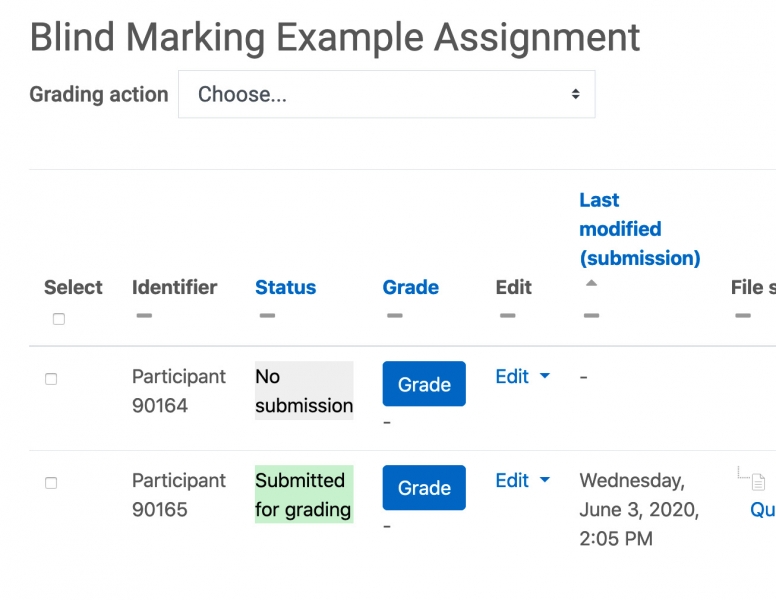
√ Answer: When you set up an assignment (or edit an assignment that does not yet have student submissions), you can choose "Blind Marking" in the settings. This allows you to grade student work without seeing their names associated with their submissions. Instead, you will see randomly-generated Participant numbers in a random order. For more information, use the button below!
√ Answer: When you set up an assignment (or edit an assignment that does not yet have student submissions), you can choose "Blind Marking" in the settings. This allows you to grade student work without seeing their names associated with their submissions. Instead, you will see randomly-generated Participant numbers in a random order. For more information, use the button below!